01
Kanban Tasks
Plan work across To Do, In Progress and Done. Drag, prioritize, add subtasks and keep the board readable.
Create and manage tasks, track deep work, write down your ideas, and build consistent habits, all in one place.
No crowded dashboards. No decoration for decoration’s sake. TickOff keeps the tools that help you plan, focus, review and move.
Plan work across To Do, In Progress and Done. Drag, prioritize, add subtasks and keep the board readable.
Sort work by urgency and importance so your day starts with better decisions, not more confusion.
Run focus sessions, track task time and build deep-work momentum with less friction.
Capture ideas, format thoughts, extract tasks and keep important context beside your work.
See focus time, completion patterns, streaks and trends without turning analytics into noise.
Use voice input and AI notes when they save time. Keep the workflow optional and practical.
TickOff is structured around the natural rhythm of productive work. Capture tasks quickly, decide what matters, run focused sessions and review what actually moved.
With local saving and Firebase sync, TickOff is built to keep your work available and consistent across sessions.
It is intentionally designed for creators, founders, students, designers and solo operators who want structure without heavyweight project management.
Open TickOff arrow_forwardReal stories from designers, strategists, writers, photographers and creative operators who wanted a calmer workspace that helps them move instead of over-manage.
“Honestly, most task managers feel like extra work just to maintain them. TickOff is the first one that actually gets out of my way. The UI is dangerously clean, and it fits perfectly next to my design workspace without distracting me. I've finally stopped abandoning my boards halfway through the month.”

“The new AI voice input feature is absolute magic. I'll be deep in a Figma prototyping session, think of a sudden developer handoff task, and instead of stopping to type it out, I just say it out loud. It catches the deadline, assigns the priority, and leaves me to my flow. Absolute game changer.”

“I use the Notes tab as a massive brain-dump folder for content scripts and client strategy. Being able to use the AI utility to instantly extract an actual checklist from a chaotic wall of text and push it to my Kanban board is brilliant. It saves me at least an hour of administrative dread every Monday.”

“I've tried literally everything, Notion, Trello, ClickUp, but everything felt too bloated for a solo creative. TickOff nailed the sweet spot. It feels light, it's lightning-fast, and the focus statistics give me a realistic picture of where my hours are actually going. TickOff is incredible.”
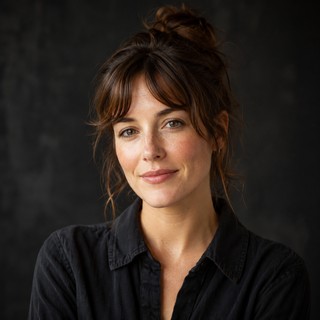
“Running a boutique agency means my brain is constantly split between design direction and business operations. TickOff acts as my external hard drive. The Gemini integration actually understands the context of how I phrase things, making task generation seamless. It's the most frictionless workspace I've used.”

“Omo, the dark mode aesthetic alone makes me want to keep the app open on my second monitor all day. Aside from the looks, it's just incredibly stable. The offline-first capability means even when my network glitches during a video rendering session, my task updates don't disappear into thin air.”

“My biggest issue with project managers is that I have to think about how to format things before I write them down. With TickOff, I just dump my messy thoughts into the Notes tab, hit the AI utility, and watch it turn a massive wall of creative text into a perfectly structured checklist. It saves me so much mental energy.”

“I spent weeks trying to build the “perfect” productivity setup in Notion, only to realize I was spending more time customizing it than actually working. I switched to TickOff because it forces me to focus on execution. The Kanban boards are clean, the mobile version is incredibly smooth when I'm on set, and it just works.”
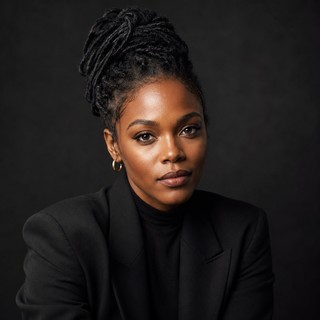
“Most productivity apps look like spreadsheet software dressed up in pastel colors. TickOff's dark aesthetic actually respects a creator's eyes. I keep it open on my vertical monitor right next to After Effects. It looks gorgeous, stays out of my way, and keeps my rendering timelines organized.”

“Omo, the statistics panel is easily my favorite feature. Seeing my actual deep work hours charted out visually gives me a weird sense of satisfaction at the end of the week. It helps me track my burnout levels and realize when I'm pushing too hard on client work.”

Then turn today into something controlled, focused and complete.
Open TickOff Free arrow_forward